How to Track Maersk Container: Complete Guide for 2025

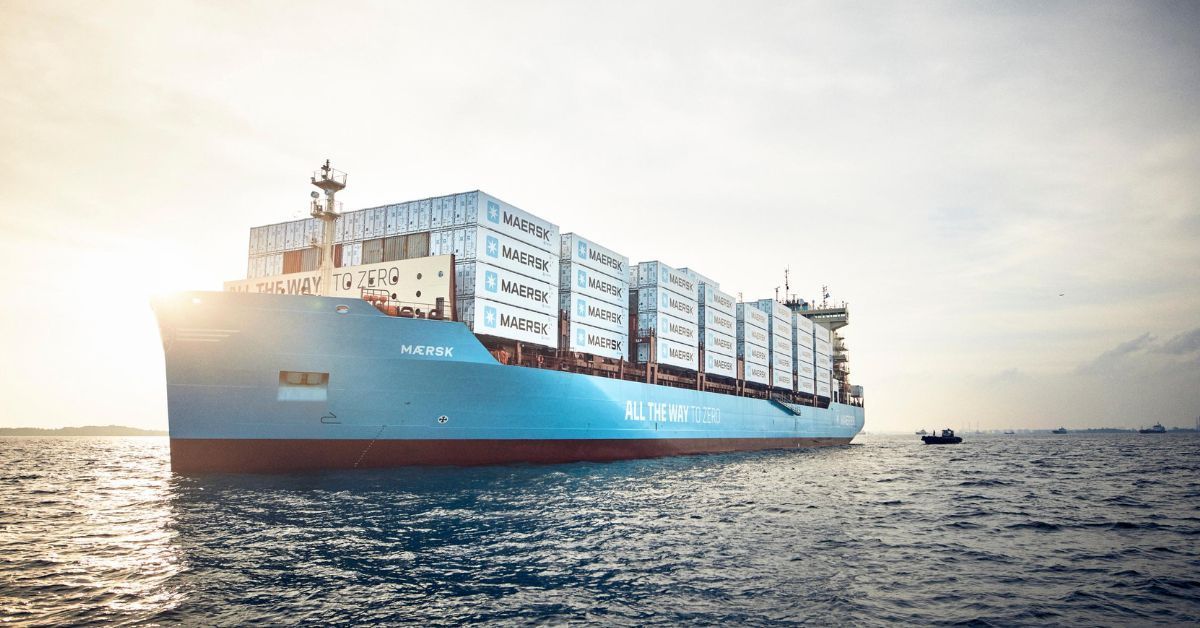
Maersk is the world's second-largest container shipping company by capacity, operating a vast global network that moves millions of containers annually. If you're shipping with Maersk, having reliable tracking is essential for supply chain visibility. This comprehensive guide covers everything you need to know about tracking Maersk containers in 2025.
About Maersk
A.P. Moller-Maersk, commonly known as Maersk, is a Danish integrated shipping and logistics company with a rich history dating back to 1904. Here are the key facts:
- Headquarters: Copenhagen, Denmark
- Founded: 1904
- Fleet Capacity: Over 4.3 million TEU
- Fleet Size: 700+ vessels
- Global Coverage: Serving 343 ports in 121 countries
- SCAC Code: MAEU
Maersk Container Prefixes
Maersk containers can be identified by these common prefixes:
- MRKU - Most common Maersk prefix (e.g., MRKU4976416)
- MSKU - Maersk Sealand containers
- MAEU - Maersk Line containers
- TCLU - Acquired from P&O Nedlloyd
- PONU - P&O Nedlloyd legacy
All Maersk containers follow the ISO 6346 standard: 4 letters + 6 digits + 1 check digit.
How to Track Maersk Containers
Method 1: Using Ocean by Traqo (Recommended)
The fastest and most convenient way to track your Maersk container is through Ocean by Traqo:
- Visit traqocontainer.com
- Enter your Maersk container number (e.g., MRKU4976416)
- Click "Track Shipment"
- View real-time status, vessel details, and route map
Why use Ocean by Traqo for Maersk tracking?
- No registration required: Track instantly without creating an account
- Auto-carrier detection: We automatically detect Maersk from your container prefix
- Interactive route map: Visualize your container's journey on an interactive map
- Complete history: View all tracking events from origin to destination
- Multi-carrier support: Track Maersk alongside containers from other shipping lines
- Real-time updates: Get the latest status directly from Maersk's systems
Method 2: Maersk Official Website
You can also track directly on Maersk's website:
- Go to maersk.com
- Click on "Tracking" in the navigation
- Select your reference type (Container, Bill of Lading, or Booking)
- Enter your reference number
- View tracking results
Method 3: My Maersk Portal
For registered Maersk customers:
- Access the My Maersk dashboard
- View all your active shipments
- Set up customized tracking alerts
- Access analytics and reporting features
Understanding Maersk Tracking Events
When tracking your Maersk container, you'll encounter various status codes:
| Event | Description |
|---|---|
| Gate In Empty | Empty container received at terminal |
| Stuffed | Container has been loaded with cargo |
| Gate In Full | Full container delivered to terminal |
| Load | Container loaded onto vessel |
| Vessel Departure | Ship has departed from port |
| Vessel Arrival | Ship has arrived at port |
| Discharge | Container unloaded from vessel |
| Gate Out Full | Full container picked up from terminal |
| Stripped | Container has been emptied |
| Gate In Empty | Empty container returned |
Maersk Vessel Tracking
In addition to container tracking, you can monitor vessel movements:
- Real-time vessel positions: See where your ship is on a map
- Schedule information: View planned arrivals and departures
- Voyage tracking: Follow the complete journey
Ocean by Traqo provides vessel information as part of container tracking, showing you which ship is carrying your cargo and its current position.
Common Maersk Tracking Issues and Solutions
Issue: Container not found
Solutions:
- Verify the container number is correct (11 characters)
- Check that the check digit is accurate
- Container may not yet be in Maersk's system - wait 24-48 hours after booking
- Try tracking on Ocean by Traqo which may have faster data updates
Issue: No updates for several days
Reasons:
- Vessel is at sea with limited connectivity
- Container is waiting at terminal for loading
- Transshipment in progress
Solution: Check the vessel schedule on Ocean by Traqo to confirm expected arrival dates.
Issue: Tracking shows old information
Solution: Maersk systems may have data refresh intervals. Ocean by Traqo pulls the latest available data - try refreshing or checking back in a few hours.
Maersk Trade Routes
Maersk operates on all major trade lanes:
- Asia-Europe: Major route connecting China, Southeast Asia with Europe
- Transpacific: Asia to North America West Coast and East Coast
- Transatlantic: Europe to North America
- Asia-Middle East: Connecting Asian manufacturing to Middle Eastern markets
- Intra-Asia: Regional trade within Asia
- Latin America: Services to South and Central America
- Africa: Growing network across African ports
Tips for Tracking Maersk Shipments
- Save your reference numbers: Keep container, BL, and booking numbers readily available
- Use Ocean by Traqo: Get unified tracking without visiting multiple websites
- Check ETA regularly: Vessel schedules can change due to weather or port congestion
- Set up notifications: Be alerted when your container status changes
- Know your terminal: Understanding which terminal handles your cargo helps with planning
Track Your Maersk Container Now
Ready to track your Maersk shipment? Ocean by Traqo makes it simple:
- Visit traqocontainer.com
- Enter your MRKU, MSKU, or MAEU container number
- Get instant visibility into your shipment
Join thousands of logistics professionals who trust Ocean by Traqo for their container tracking needs. Whether you're tracking a single Maersk container or managing shipments across multiple carriers, we've got you covered.